Shopify doesn't have a single "free gift at $X" button — you have to assemble it. Here are the three ways to do it, from most manual to most automatic, plus the one setting most stores get wrong.
Option 1 — Automatic discount on a specific product
The no-app route. In Discounts → Create discount → Automatic, build an amount-off-products discount that makes one product free, conditional on a minimum cart total.
Pros: free, native, no extra app.
Cons: the shopper still has to find and add the gift product themselves — the discount only zeroes the price if it's already in the cart. Most shoppers never do, so the offer goes unseen. There's also nothing on the storefront telling them the offer exists.
Good for a quick test. Not good for actually moving AOV, because discovery is the whole game.
Option 2 — A "Buy X Get Y" rule
Shopify's Buy X Get Y discount type can add a gift when the cart qualifies. It's closer to a real gift-with-purchase and works at checkout.
Pros: native, handles the "get one free" logic.
Cons: it's tied to product or collection quantities, not a spend threshold, so "spend $75, get a free gift" is awkward to express. And there's still no storefront messaging — shoppers don't know how close they are to unlocking it. A gift nobody knows about doesn't lift carts.
Option 3 — A reward progress bar that auto-adds the gift
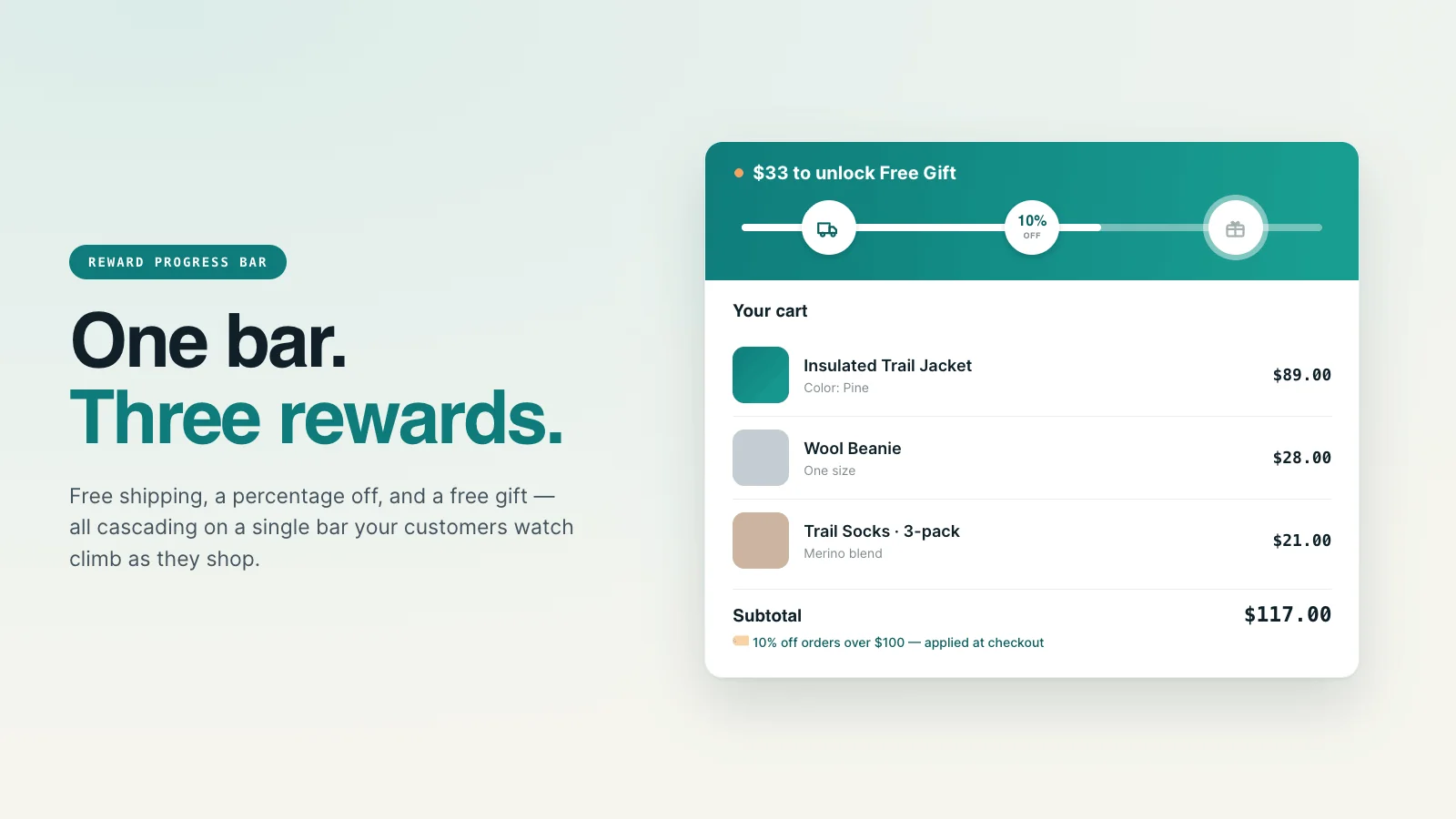
This is what most stores actually want: a bar in the cart that says "You're $18 away from a free gift", fills as the shopper adds items, and drops the gift into the cart automatically the moment they cross the threshold. No hunting for a product, no guessing.
Pros: the offer is visible exactly where the buying decision happens, the gift adds itself, and you can stack it with free shipping and a discount on the same bar (spend $50 → free shipping, $75 → free gift). That visible "$18 to go" is the part that moves AOV.
Cons: needs an app. (Worth it — visibility is the whole point.)
The setting most stores get wrong
Here's the trap with auto-added gifts: once the gift is in the cart, a shopper can often change its quantity or delete it like any other line item. Bump the qty to 3 and you're shipping three free products. Remove it and re-add to game the offer. Most multi-tier apps leave those controls live.
The fix: lock the gift line — hide its quantity stepper and remove button so the gift behaves like a gift, not a regular product. If you build a gift-with-purchase, make sure whatever you use locks that line.
It's exactly why we hide those controls in CartClimb — a reward bar that cascades free shipping → discount → free gift and auto-manages the gift line so customers can't break it.
Which should you use?
| You want… | Use |
|---|---|
| A free, quick test | Option 1 — automatic discount |
| Native gift logic, no spend threshold | Option 2 — Buy X Get Y |
| Visible "$X to a free gift" that actually lifts AOV | Option 3 — reward progress bar |
If you only remember one thing: a free gift only works if shoppers can see how close they are to earning it. The threshold message is doing more work than the gift itself.
Frequently asked questions
Can you add a free gift with purchase on Shopify without an app?
Yes — with an automatic amount-off-products discount or a Buy X Get Y rule. Both are native and free, but the shopper has to add the gift themselves and there's no storefront message announcing the offer, so very few people discover it.
How do I add a free gift at a cart threshold (e.g. spend $75)?
Use a reward progress bar that shows how close the cart is to the threshold and auto-adds the gift when the shopper crosses it. It's the only method that makes a spend-based gift visible at the point of decision — which is what lifts average order value.
How do I stop customers changing the quantity of a free gift?
Lock the gift line so its quantity stepper and remove button are hidden. Most multi-tier apps leave them active; CartClimb hides them so customers can't bump the quantity or delete and re-add the gift to game the offer.
A free gift that adds itself — and can't be gamed
CartClimb shows the "$X to a free gift" message in the cart, auto-adds the gift at the threshold, and locks the line so shoppers can't bump the quantity. Stacks with free shipping and a discount on one bar.
Explore CartClimb →