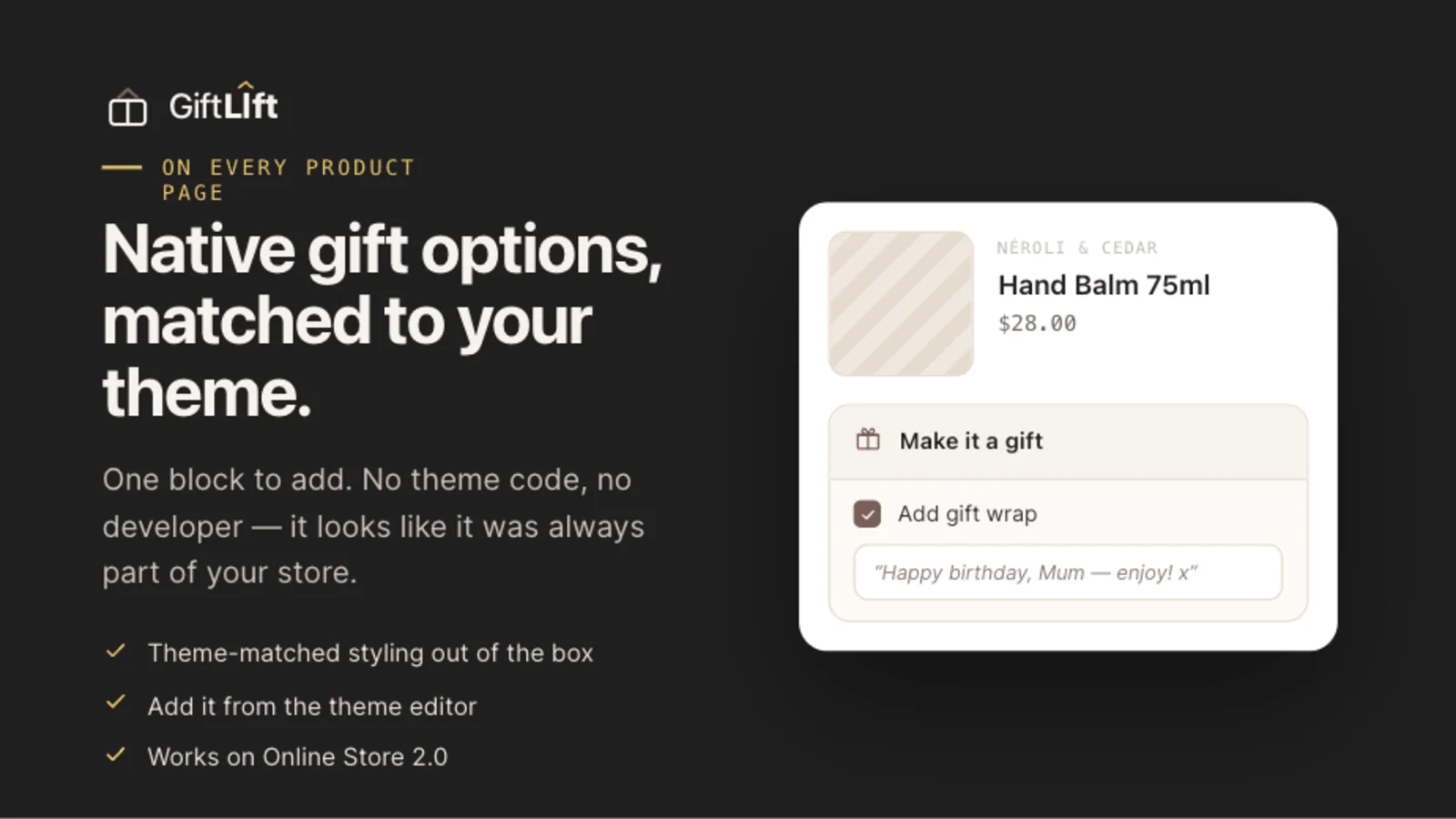
Most Shopify stores give gift-buyers no way to say a purchase is a gift: no wrap, no message, no way to hide the price from the recipient. That's a missed connection with your customer and money left on the table. This guide walks through exactly how to add gift wrapping to Shopify — what the native options can and can't do, and how to set up a proper gifting experience in minutes with GiftLift. (Above: GiftLift's theme-matched "Make it a gift" block on a product page — no code, no developer.)
Why gift wrapping is worth adding
Gift wrapping isn't a nice-to-have add-on; it's one of the few upsells that customers thank you for.
- It raises average order value (AOV). A paid wrap or gift box is pure incremental revenue on an order the shopper was already placing.
- It converts gift-buyers. Someone shopping for a birthday or holiday is far likelier to check out when they can wrap it, add a note, and hide the price.
- It needs no discount. Unlike "10% off," gifting adds margin instead of eroding it.
Option 1: Native Shopify (and its limits)
You can fake gift wrapping in vanilla Shopify by creating a "Gift Wrap" product and asking customers to add it to the cart. It works, but it's clumsy:
- The wrap isn't tied to the item being gifted, so fulfillment can't tell what to wrap.
- There's no built-in gift message field, no "To / From," and no gift receipt.
- Quantities don't sync — buy two items, and you still have one wrap.
- It looks bolted-on, because it is.
For a single hobby store that's fine. For a brand that wants gifting to actually convert and scale, you want a purpose-built gift options app.
Option 2: Add gift options with GiftLift (the fast way)
GiftLift adds a clean "Make it a gift" experience to the product page, cart, and checkout — with the wrap line properly tied to its item.
Step 1 — Install and add the block
Install GiftLift from the Shopify App Store. It adds a theme app block to your product template (and an app embed for the cart), so there's no theme code to edit.
Step 2 — Create your wrap styles
Add the wrap options shoppers can pick — kraft, ribbon, foil, a printed pattern, a matte premium box — each with its own name and price (or free).
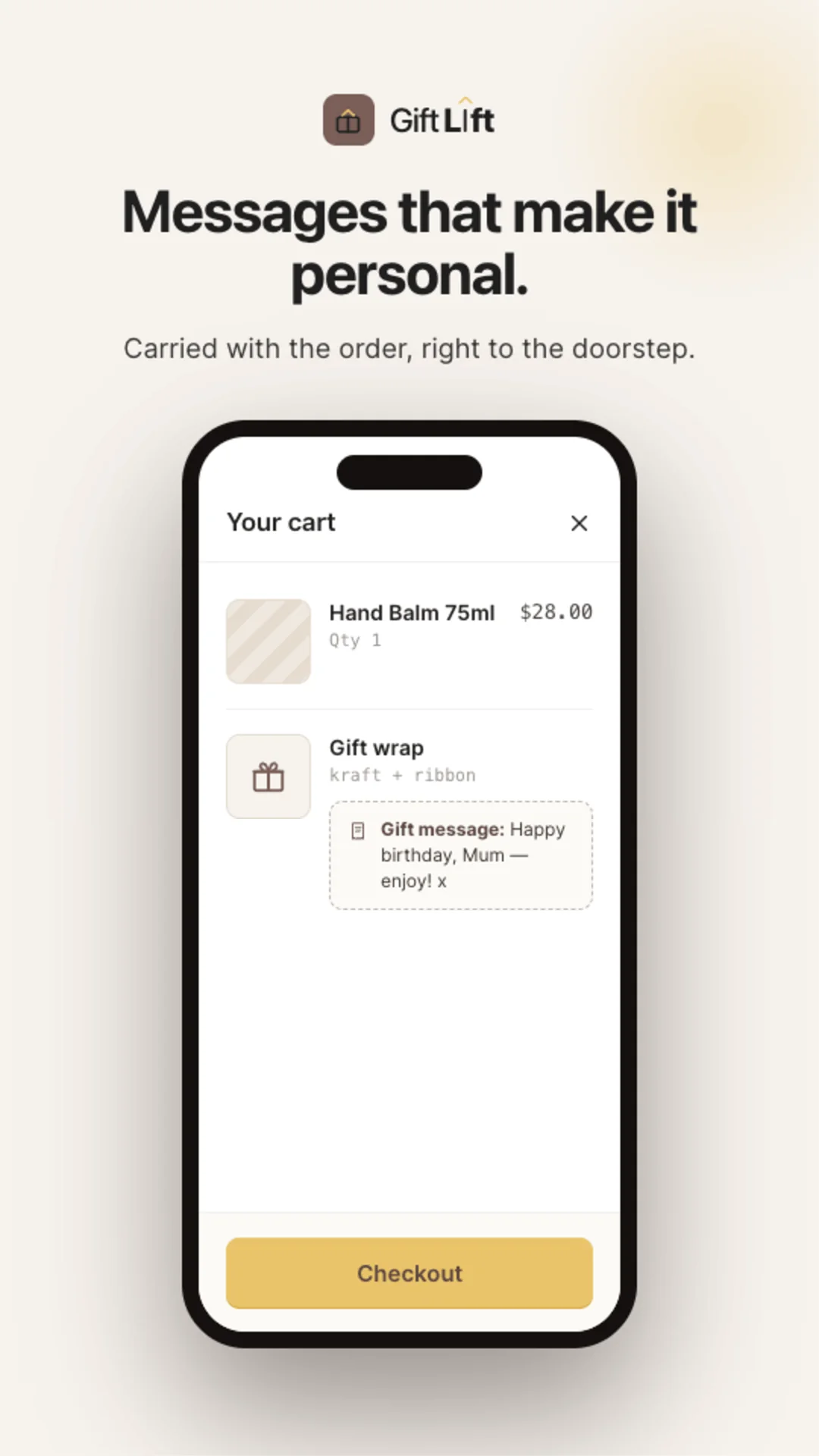
Step 3 — Turn on gift messages and receipts
Enable the gift message field (free on every plan), structured To / From gift-tag fields, and a gift receipt option that hides prices on the packing slip. The shopper's note rides on the order all the way to fulfillment.
Step 4 — Choose where it shows
Show gift options on the product page, in the cart drawer, on the cart page, and at checkout (checkout placement requires Shopify Plus). Done.
What a good gifting setup includes
When you evaluate any gift-wrap solution, look for these — GiftLift includes them all:
| Capability | Why it matters |
|---|---|
| Per-item and whole-order wrap | Cover both "wrap this one thing" and "wrap the whole order" |
| Free gift message | The #1 thing gift-buyers want; keep it free to maximize attach rate |
| To / From gift tag | Reads like a real gift, not a line item |
| Gift receipt (hide prices) | Removes the awkward "they'll see what I paid" objection |
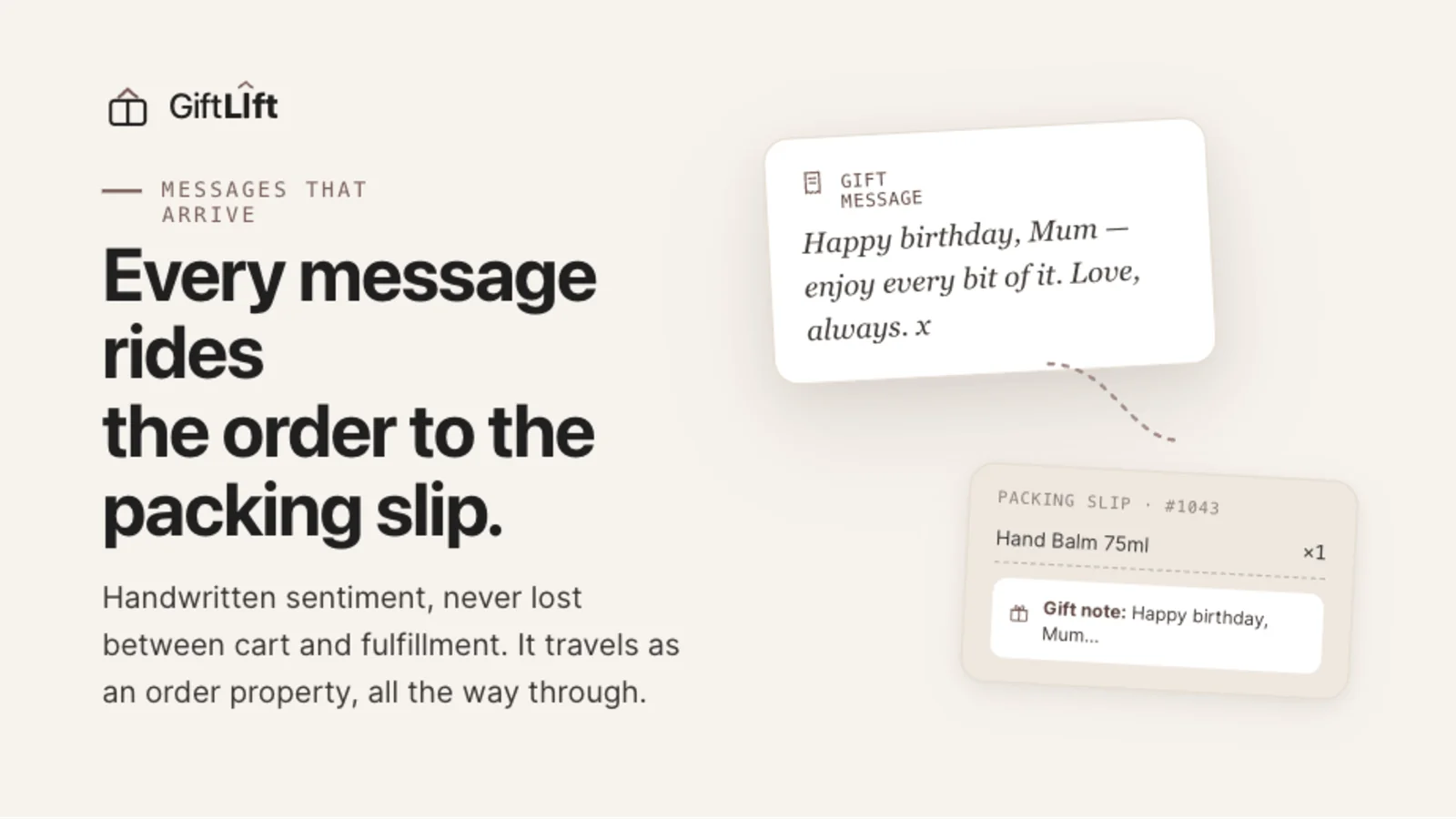
| Details ride to fulfillment | The message + wrap print on the packing slip — nothing gets missed |
| Markets-aware pricing | Wrap prices show in the shopper's local currency automatically |
How gift details reach your warehouse
The biggest failure mode for DIY gifting is the message never reaching whoever packs the box. GiftLift keeps the gift message and To/From on the order as hidden line-item properties and writes a tidy gift summary into the order notes — so it prints on the packing slip and exports to your 3PL. Your team always knows what to wrap and what to write.
Measure it
Once it's live, watch the numbers: attach rate (how many orders add a gift), gift revenue, and the lift in AOV versus non-gift orders. GiftLift's built-in analytics surface all three, plus your most-chosen wrap style, so you can price and merchandise gifting like any other part of your store.
Frequently asked questions
Does adding gift wrapping slow down my store?
No. GiftLift loads as a lightweight, deferred storefront script and only renders where you place it.
Can I offer a free gift message but charge for wrap?
Yes. The gift message is free on every plan; you set prices per wrap style (including $0 for a free option).
Will the gift message reach the person packing the order?
Yes — it's saved on the order and summarized in the order notes, so it appears on the packing slip and in most fulfillment tools.
Do I need Shopify Plus?
No. GiftLift works on every Shopify plan. Only the checkout placement requires Plus (the product page and cart placements work everywhere).
Ready to turn gift-buyers into bigger orders?
Add GiftLift to your Shopify store and have gift wrapping, messages, and receipts live today — no theme code, no sales caps.
Add GiftLift free →