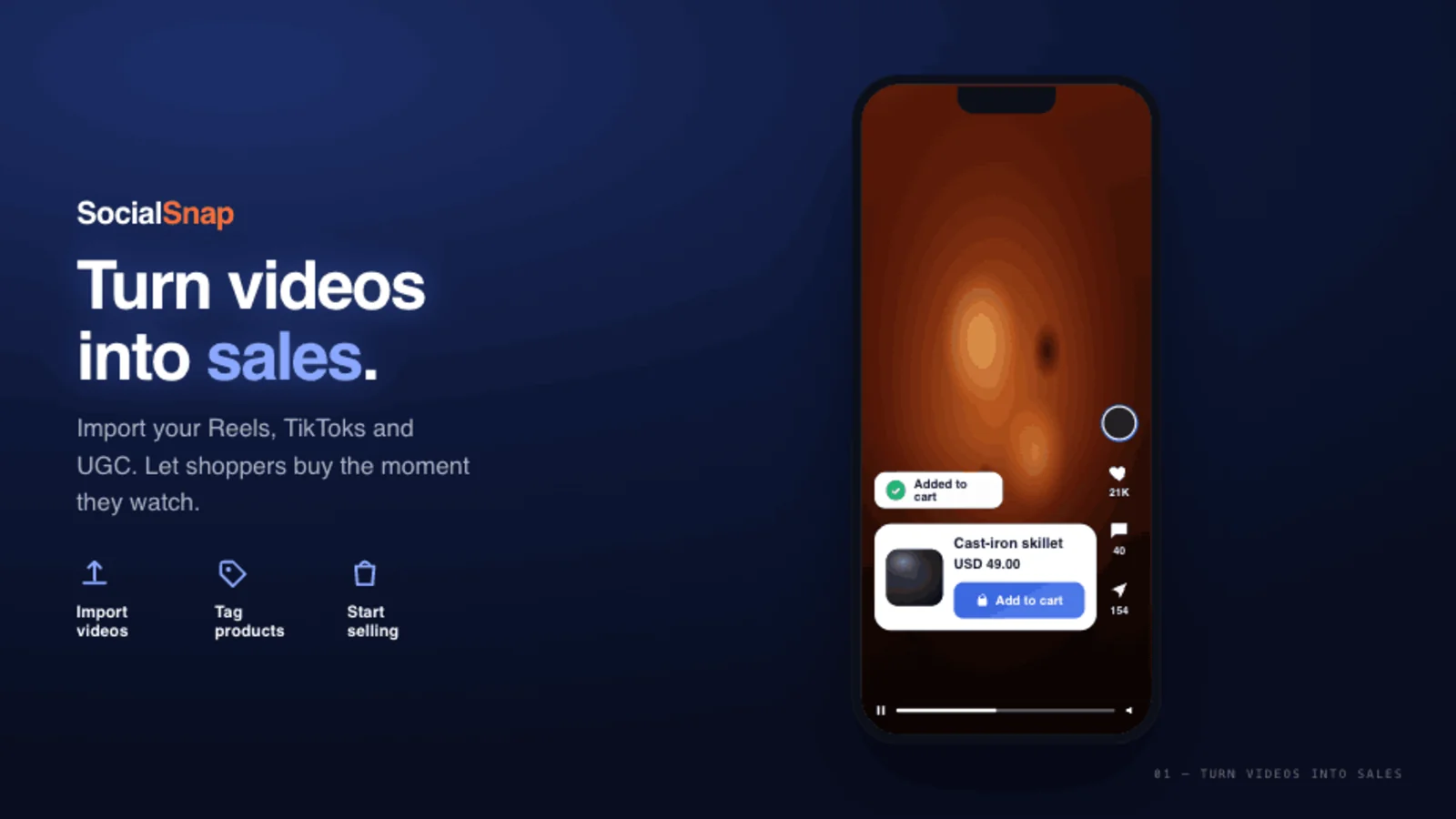
Short-form video is how people decide what to buy — but on most Shopify stores, that video lives on Instagram and TikTok, not on the pages where shoppers actually check out. Shoppable video closes that gap: it puts the product tag, variant picker, and add-to-cart button inside the player, so a shopper can buy the moment they watch — without ever leaving your store.
It's not a niche experiment anymore. 41% of marketers are now testing shoppable video, the video-commerce market is on track to hit ~$55B by 2027, and brands that add shoppable video to product pages report conversion lifts of 30% or more. This guide walks you through exactly how to add it to Shopify in an afternoon — what it is, why it works, and a repeatable setup you can ship today.
What is shoppable video?
A shoppable video is a video with buyable products attached to it. Instead of a passive clip, each video carries one or more product tags; tap a tag and the shopper sees the price, picks a variant, and adds to cart — all in the player. The video does the selling and the storefront does the checkout, with no detour to a third-party app.
The difference matters because a plain embedded TikTok or Reel can't be shopped: clicking it sends the visitor out to TikTok or Instagram, away from your funnel. (We cover that trap in detail in how to embed TikTok & Instagram Reels on Shopify.) Shoppable video keeps the buyer on your store, where the buy button is.
Why shoppable video works (the data)
- It compresses the path to purchase. The product is one tap from the moment of desire, not three pages away.
- It's social proof at the point of decision. Real people using your product gives middle-of-funnel browsers the confidence to buy.
- It lifts PDP conversion. Brands adding shoppable video to product detail pages consistently report 30%+ conversion lifts.
- The format is proven. Shoppers already watch vertical video for hours a day; you're meeting them in a format they're fluent in.
How to add shoppable video to Shopify, step by step
You don't need a developer or a video team. The whole flow is: get videos in → tag products → place a feed → measure.
Step 1 — Install a shoppable video app
The fastest path is a dedicated Shopify app. When you compare options, weight two things heavily:
- Built for Shopify designation — it signals the app meets Shopify's bar for performance, design, and integration.
- Performance — every app injects storefront code; a heavy widget slows every page. Look for apps that keep the storefront payload small and host/serve video efficiently.
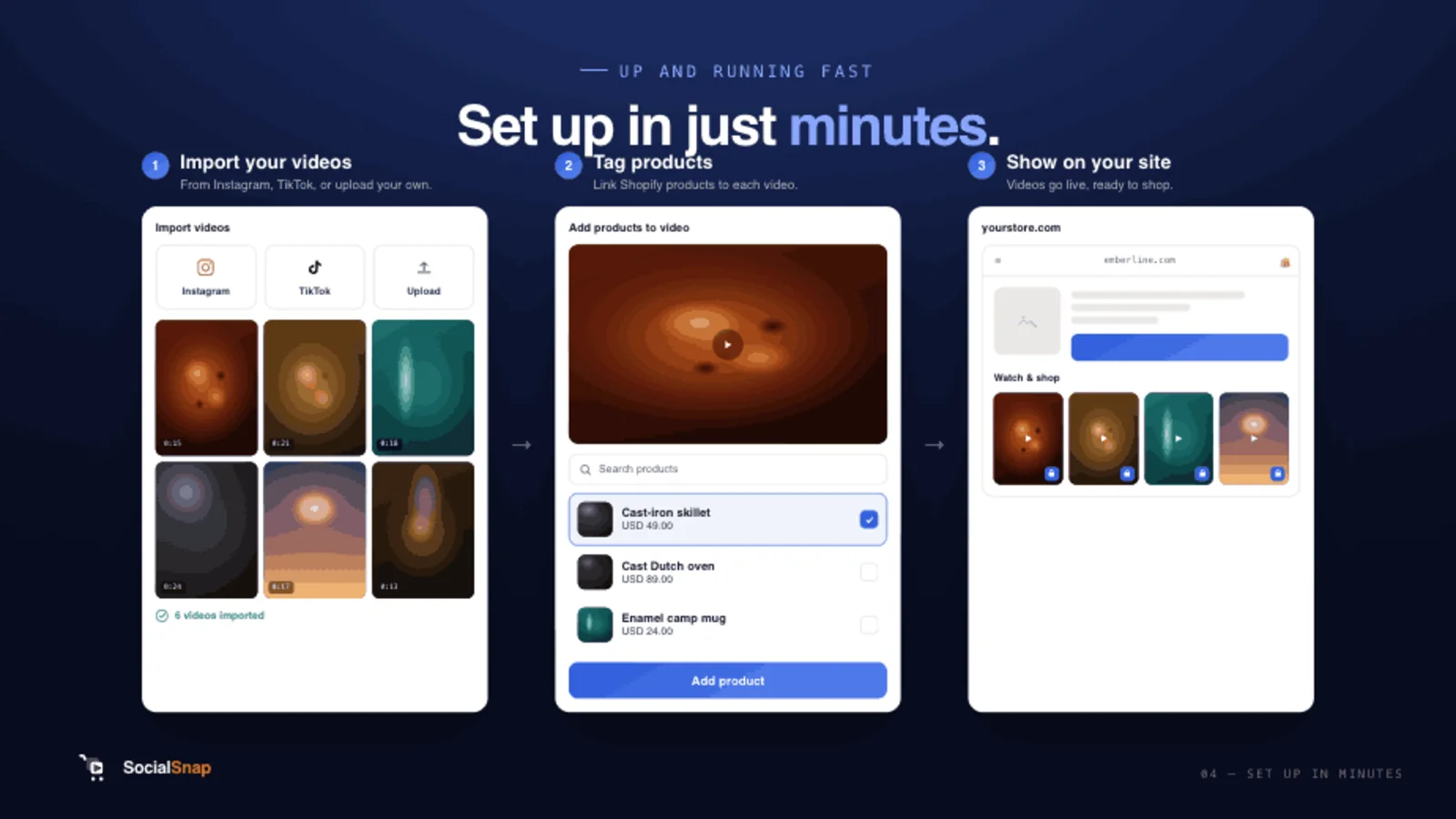
Step 2 — Get your videos in
You have four sources, in order of efficiency:
- Your own Reels/TikToks you already created and have rights to.
- Creator content with clear commercial usage rights.
- Customer UGC, with explicit permission (see the UGC playbook).
- Net-new shoots — only once you've exhausted the first three.
Most stores start by uploading a handful of existing clips. Short clips of 15–60 seconds — demos, how-to-use, unboxings, before-and-afters, reviews — perform best.
Step 3 — Tag products to make videos shoppable
This is the step that turns "a video" into "a storefront." Open a video, pick the product, drop a pin where it appears on screen, choose the variant, and (if your app supports it) set the moment in the video the tag appears. Repeat for each product featured.
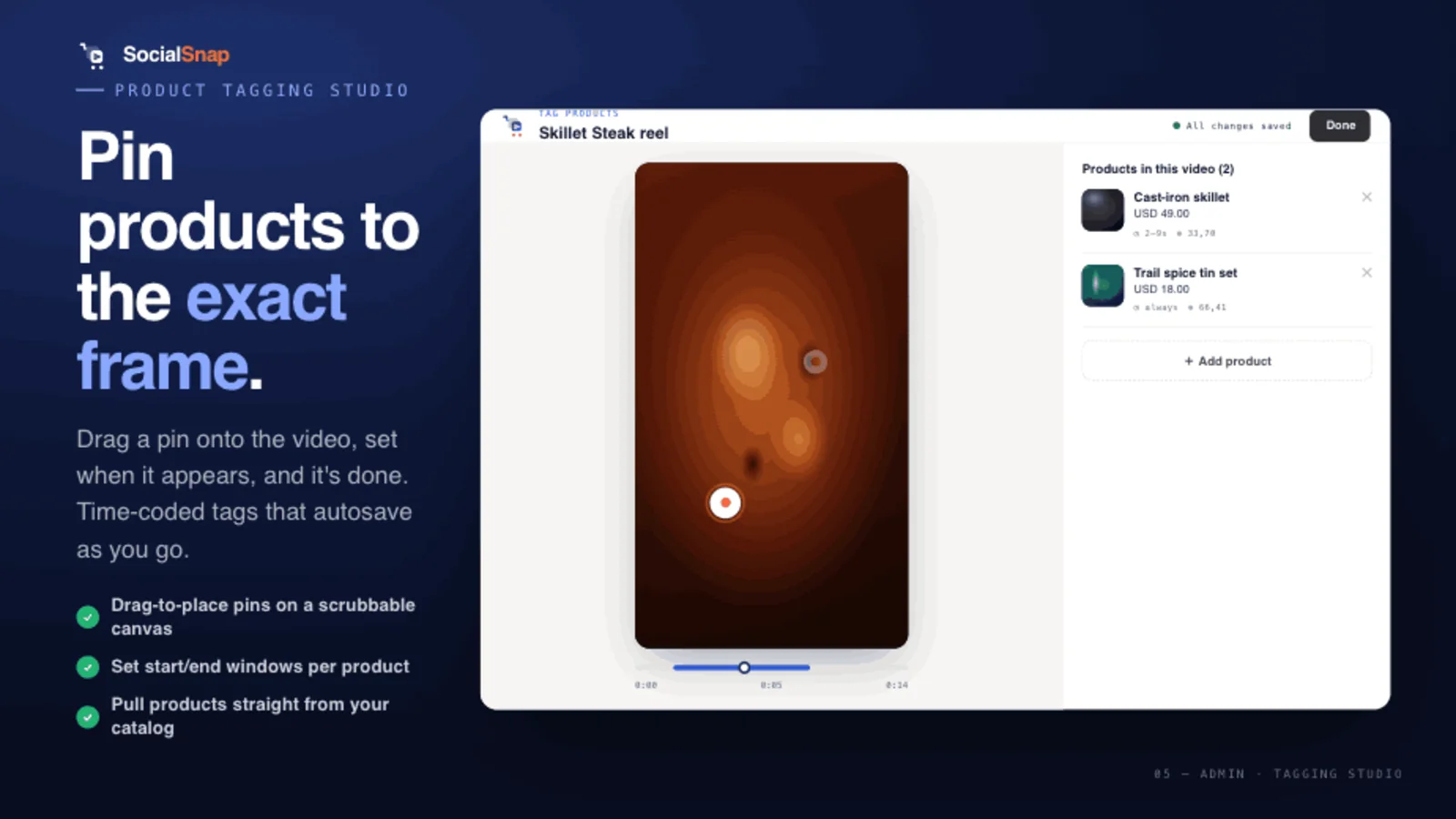
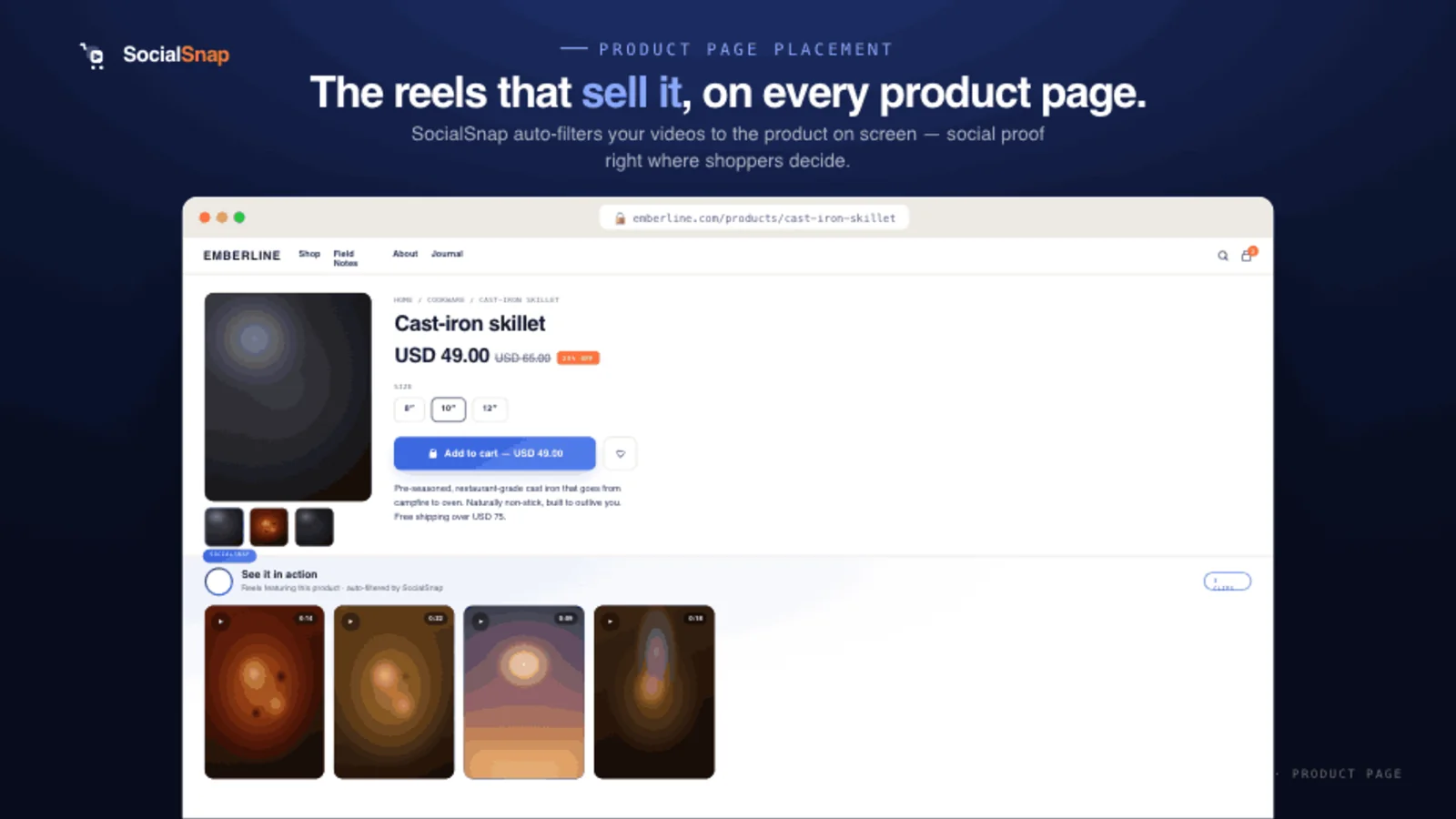
Tag once, sell everywhere. The best apps let you tag a product a single time and then auto-show those videos on the matching product page — so you don't rebuild a feed for every product.
Step 4 — Choose a layout
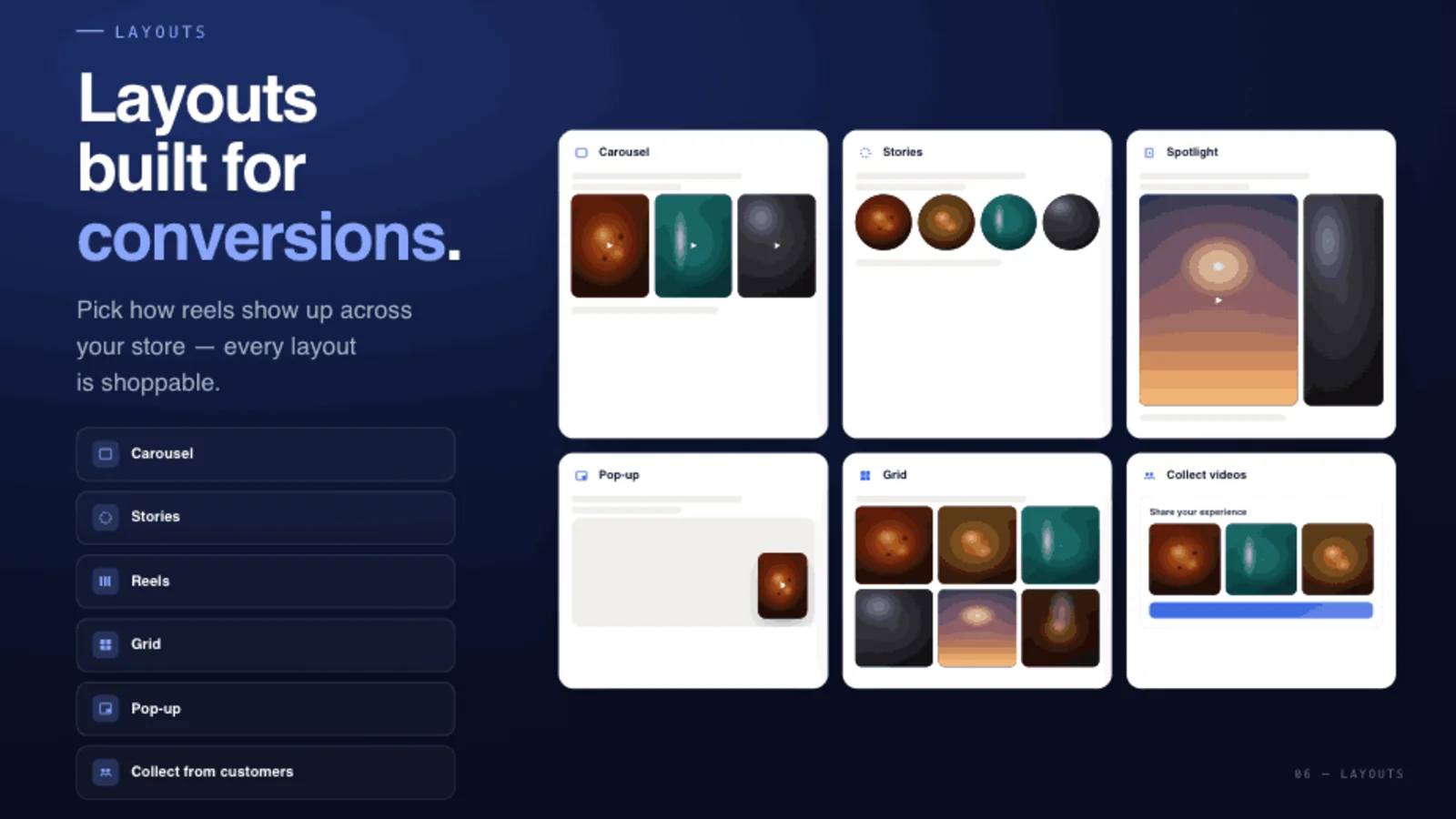
Different pages want different formats. Common layouts:
- Immersive feed / reels — a full-screen, swipeable TikTok-style experience.
- Grid or slider — a tidy carousel that fits neatly into a page section.
- Stories — circular thumbnails that expand into the viewer.
Step 5 — Place it on your storefront
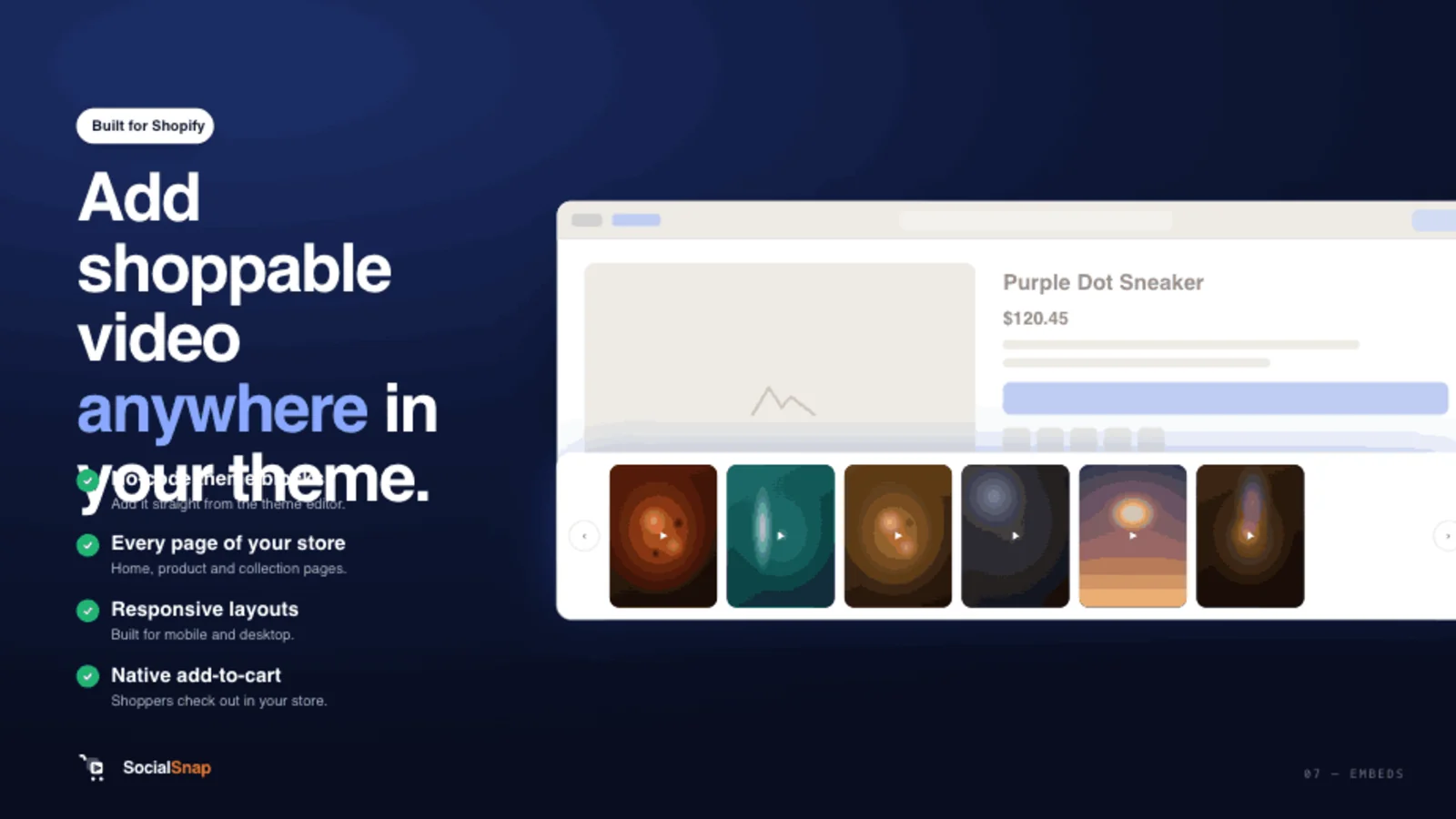
In the Shopify theme editor, add the app's block to the pages where it'll earn its keep:
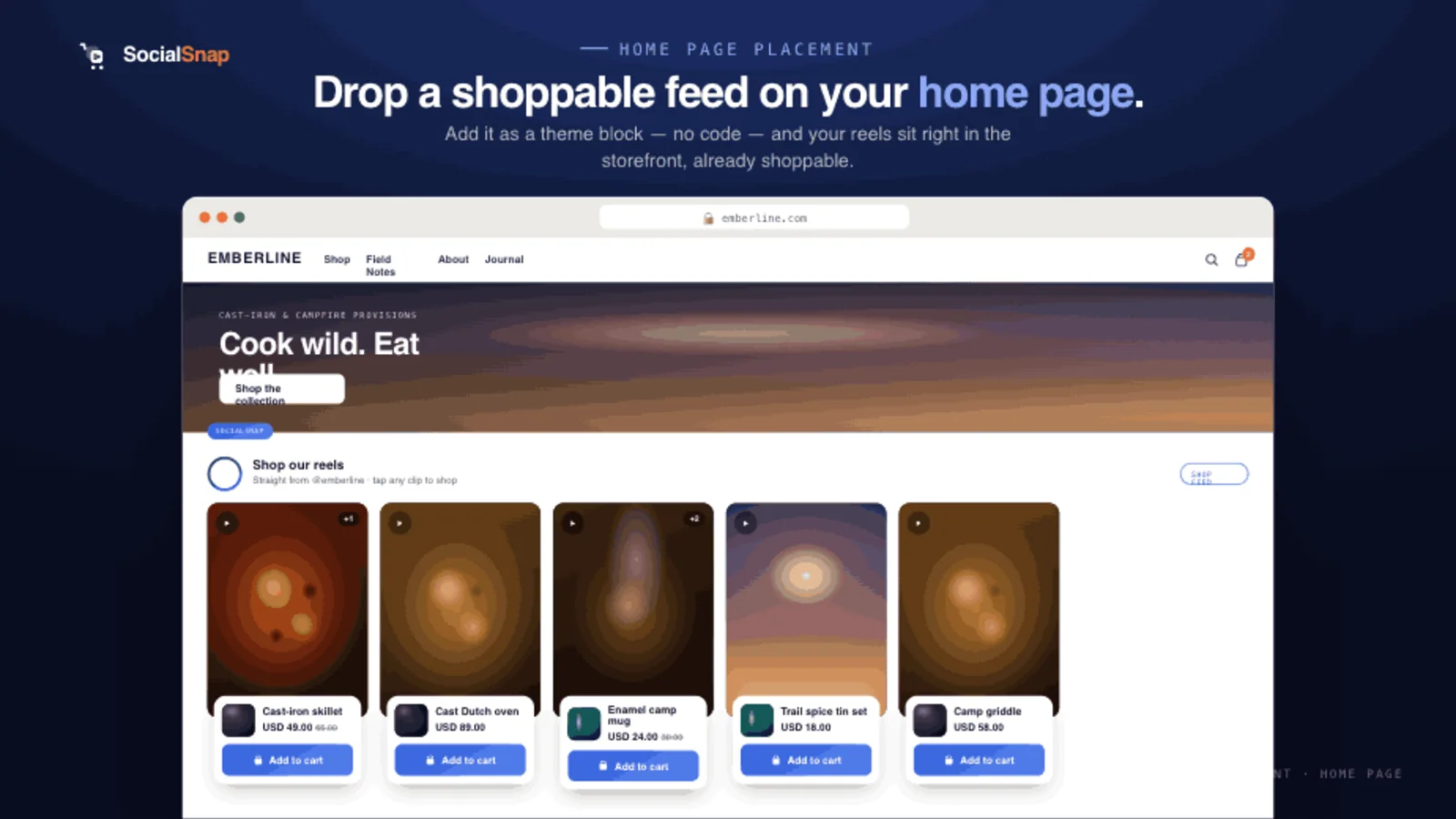
- Home page — a scroll-stopping feed that warms up new visitors.
- Product pages — the highest-intent placement; this is where the 30% lifts show up.
- Collection pages — context for a category.
A practical rule from the field: don't ship it everywhere on day one. Pick one top-traffic product page, add 3–5 relevant videos, and learn before you scale.
Step 6 — Measure and iterate
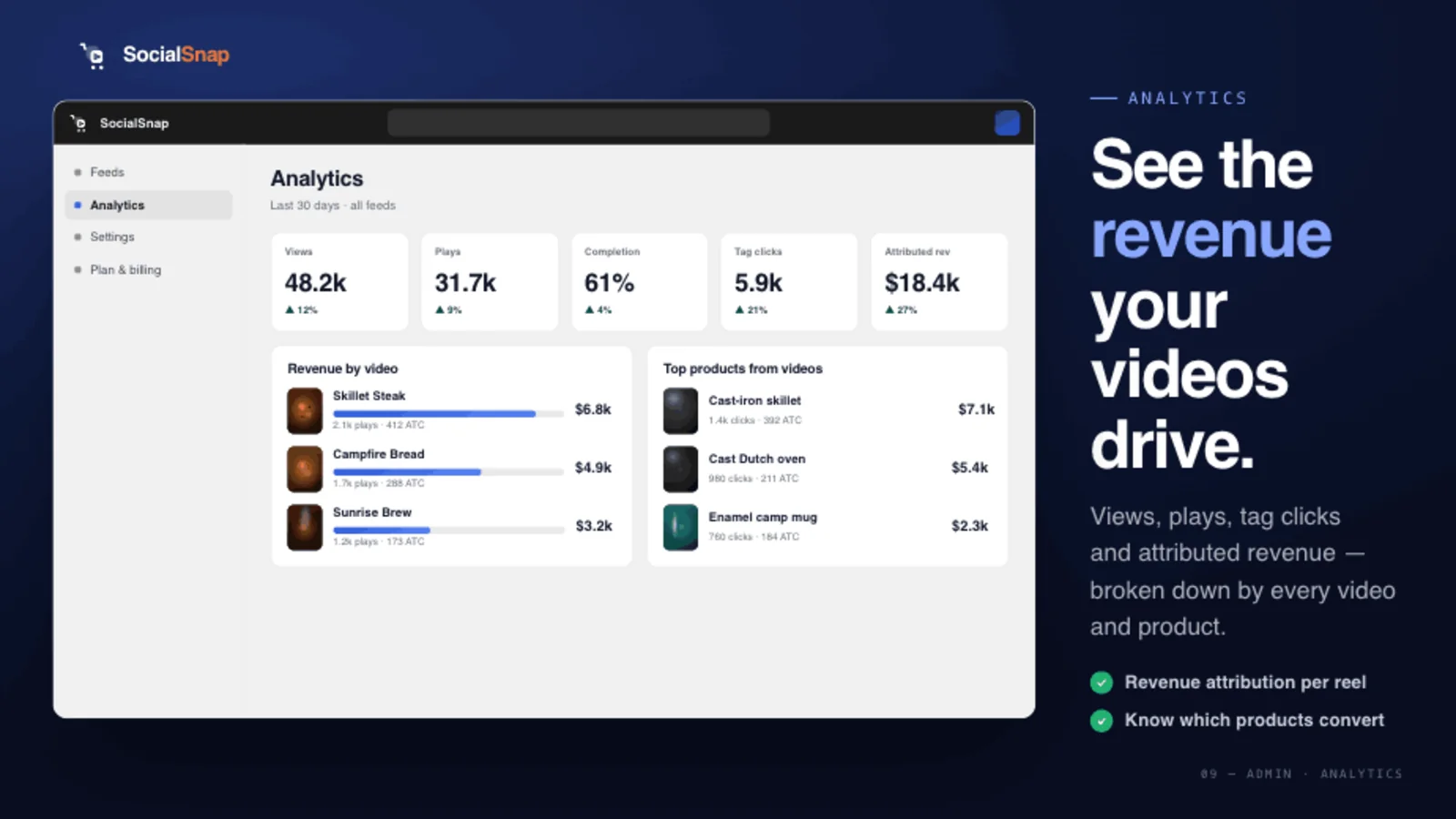
Track plays, tag clicks, add-to-carts, and — if your app attributes orders — revenue per video. Double down on the clips that sell; retire the ones that don't.
Best practices that actually move the needle
- Lead with the product in the first 2 seconds. Vertical video is a thumb-stop game.
- One clear hero product per video. Multiple tags are fine, but give the clip a focus.
- Keep it 15–60 seconds. Long enough to demonstrate, short enough to finish.
- Use real, lightly-produced footage. Authentic beats polished for trust.
- Mind performance. A shoppable feed shouldn't cost you more than ~10 Lighthouse points — check before and after.
Where SocialSnap fits
SocialSnap is built for exactly this flow: import Reels and TikToks (or upload your own), tag products with a variant and an on-screen pin, and drop an immersive, TikTok-style feed on any page. Its tag-once model auto-shows the right videos on each product page, and it attributes real order revenue back to individual videos — so you can see which clips actually sell. It's a lightweight, lower-cost way to ship everything in this guide.
Frequently asked questions
Is shoppable video worth it for a small store?
Yes — start with one product page and a few existing clips. You don't need a video budget; your existing Reels/TikToks are enough to test the format.
Do I need to connect Instagram or TikTok?
No. You can upload videos directly. Connecting your social accounts (where available) just lets you import existing content automatically.
Will shoppable video slow my store down?
It can, if the app is heavy. Choose a Built-for-Shopify app with a small storefront footprint and check your Lighthouse score before and after.
Can shoppers buy without leaving the video?
Yes — that's the whole point. A properly tagged shoppable video keeps the variant picker and add-to-cart inside the player, unlike a plain social embed.
What videos should I use first?
Existing content you own: product demos, how-to-use clips, unboxings, and customer reviews, 15–60 seconds each.
Ship shoppable video this afternoon
Import your Reels and TikToks, tag products with a variant and an on-screen pin, and drop a TikTok-style shoppable feed on any page — with real order attribution per video.
Add SocialSnap free →Sources: Shoppable Video Complete Guide — Videowise · Ultimate Guide to Shoppable Video 2026 — Whatmore · What Is Shoppable Video — Bambuser