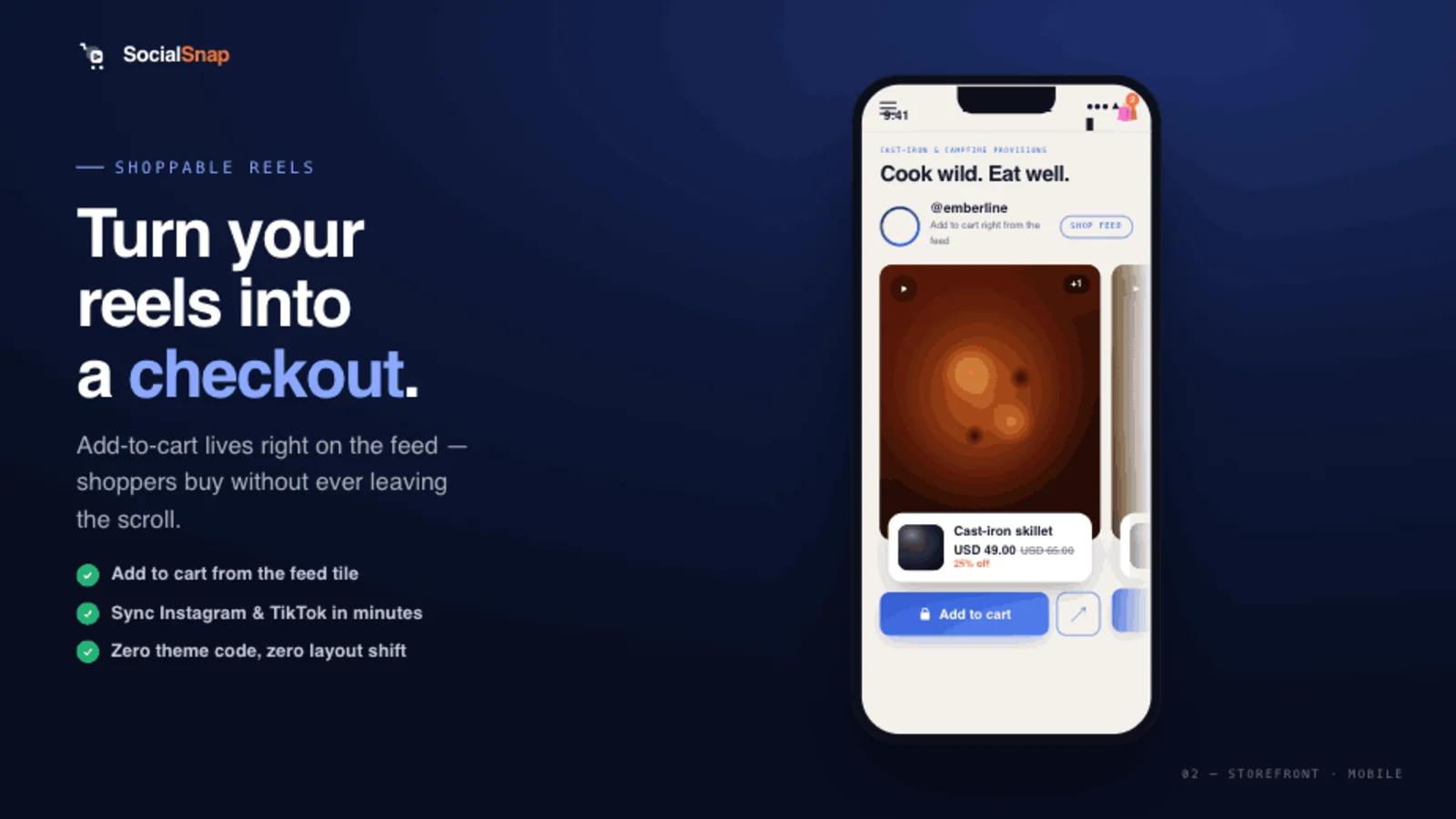
The hardest part of video commerce isn't the player — it's the supply. Most stores can place a shoppable feed in an afternoon, then stall because they don't have enough good video to fill it. User-generated content (UGC) is the answer: real videos from real customers and creators, which both convert better and scale further than anything a brand can shoot alone.
This is the practical playbook: where UGC comes from, how to get the rights to use it (the part most guides gloss over), and how to turn it into shoppable video that earns its place on your Shopify store.
Why UGC converts
UGC works because it's the thing a product page can't fake: proof. Seeing an actual customer use your product is the social proof a middle-of-funnel browser needs to become a confident buyer. It reads as honest, it answers "will this work for someone like me?", and it does so in the format shoppers already trust — short vertical video.
And strategically, UGC solves supply: instead of your team filming everything, your customers and creators generate a continuous stream of authentic clips.
Where to source UGC (in priority order)
Work down this list — each step is more effort than the last, so exhaust the cheap sources first:
- Content you already own — your brand's Reels and TikToks. Start here; it's free and immediate. (See how to embed TikTok & Instagram Reels on Shopify.)
- Creator content with commercial rights — clips from creators you've partnered with, where the usage rights are explicit.
- Customer UGC — videos your customers made, used with their permission (more on this below).
- Net-new shoots — only once the first three are tapped out.
Getting the rights: the part you can't skip
Posting a customer's video to your store without permission is a real legal and trust risk — not a technicality. A public video being visible is not the same as you having the right to republish it commercially. Build consent into your process:
- Ask explicitly, and record it. Capture who granted rights, when, and what they agreed to (a versioned consent statement).
- Make consent a required step, not a buried checkbox — at the point the customer submits or when you request rights on a social post.
- Always moderate before publishing. Approve every clip; never auto-publish UGC to a live storefront.
Two common ways to collect it:
- Direct submission — a page where customers upload a video and grant consent. This needs no social-platform approval and is the simplest to launch.
- Social rights-request — finding posts where customers tagged your brand and requesting rights via the platform's official API. More reach, but it depends on platform permissions.
Turn UGC into shoppable video
Collecting UGC is half the job; the payoff comes when it's shoppable. Once a clip is approved:
- Tag the product to the moment it appears, with the right variant.
- Drop it into a feed on the relevant product, collection, or home page.
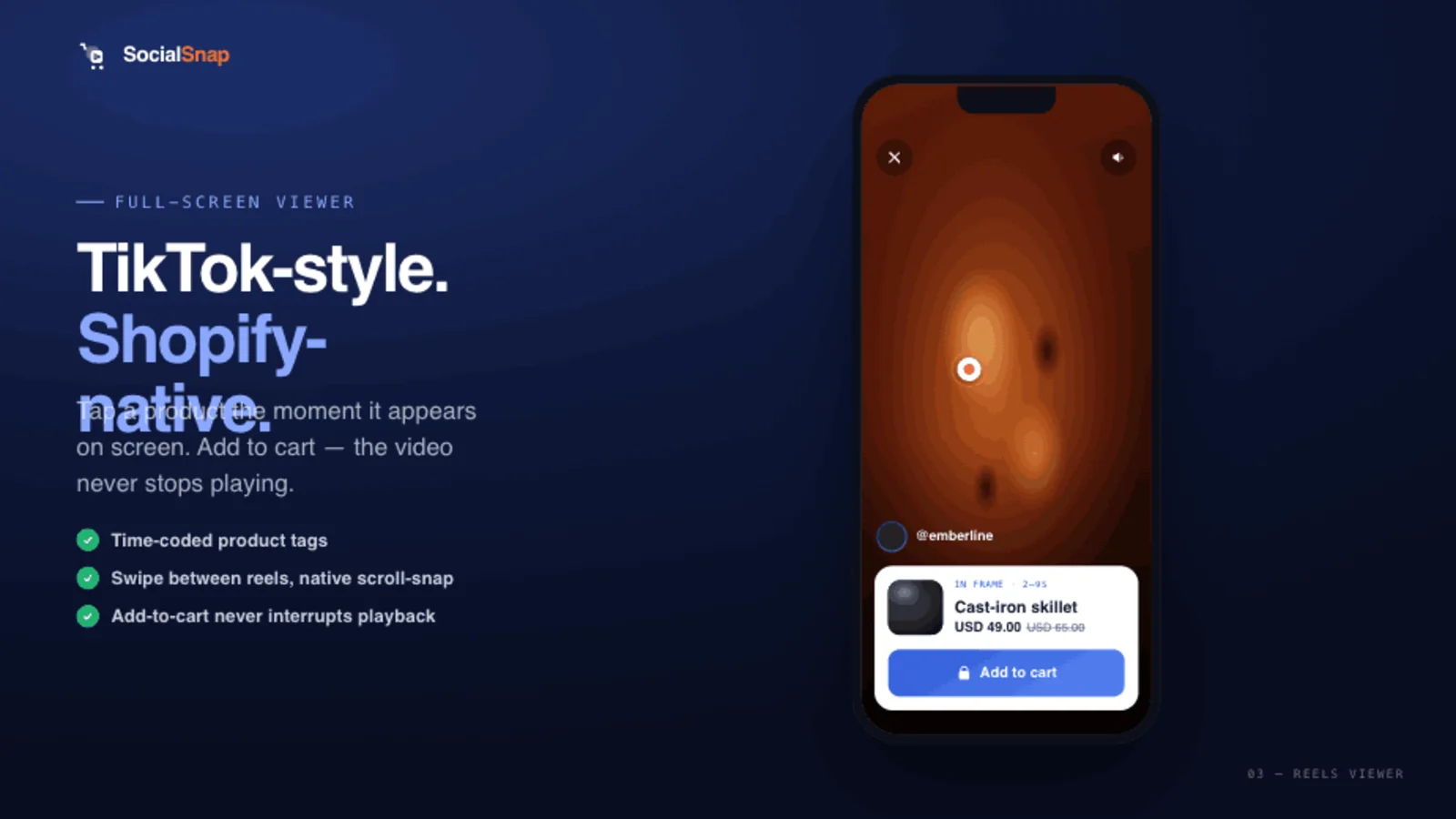
- Let shoppers add to cart inside the player — no detour to a social app.
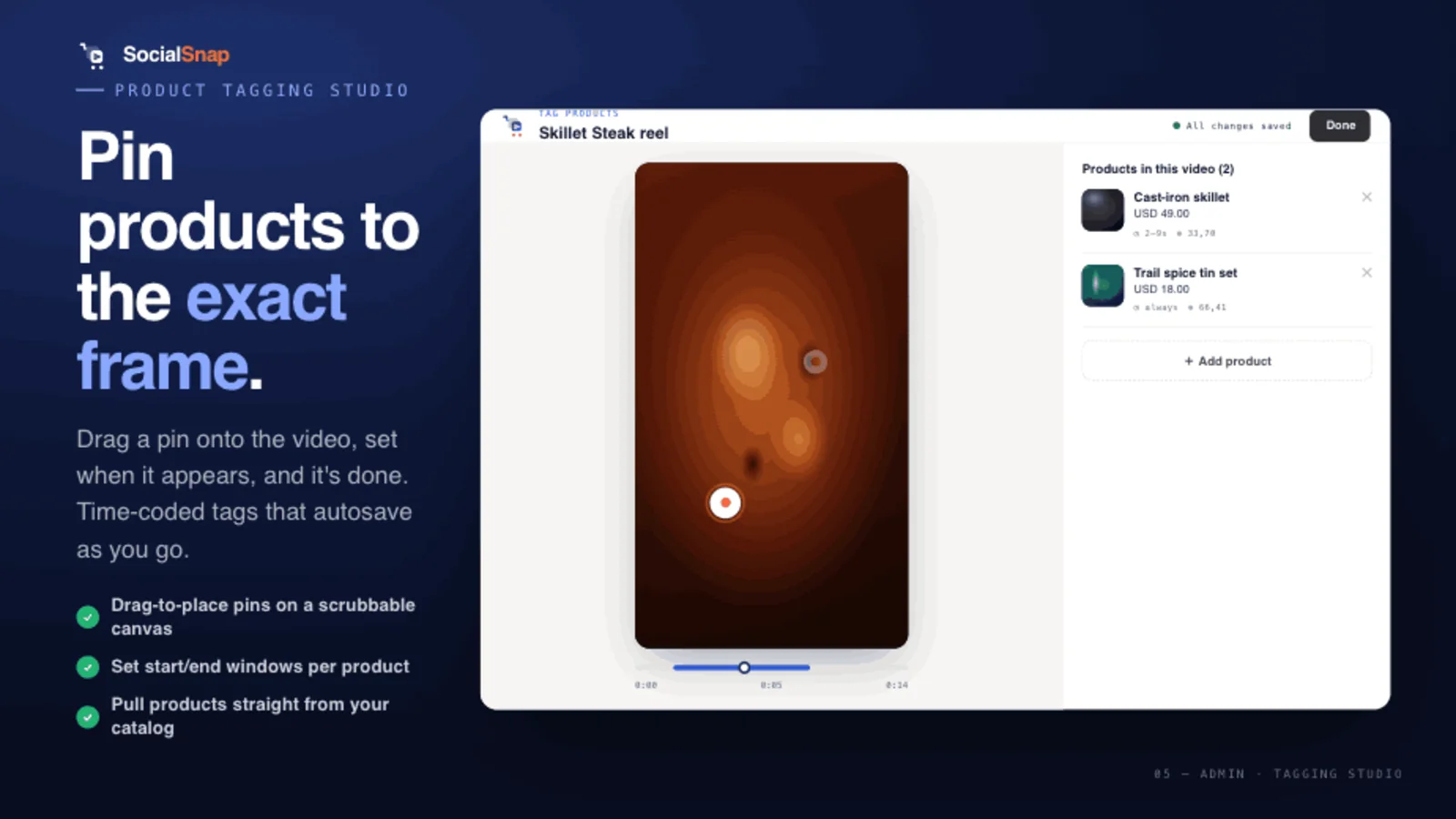
A full-screen, swipeable viewer makes UGC feel native — like the social feeds the content came from.
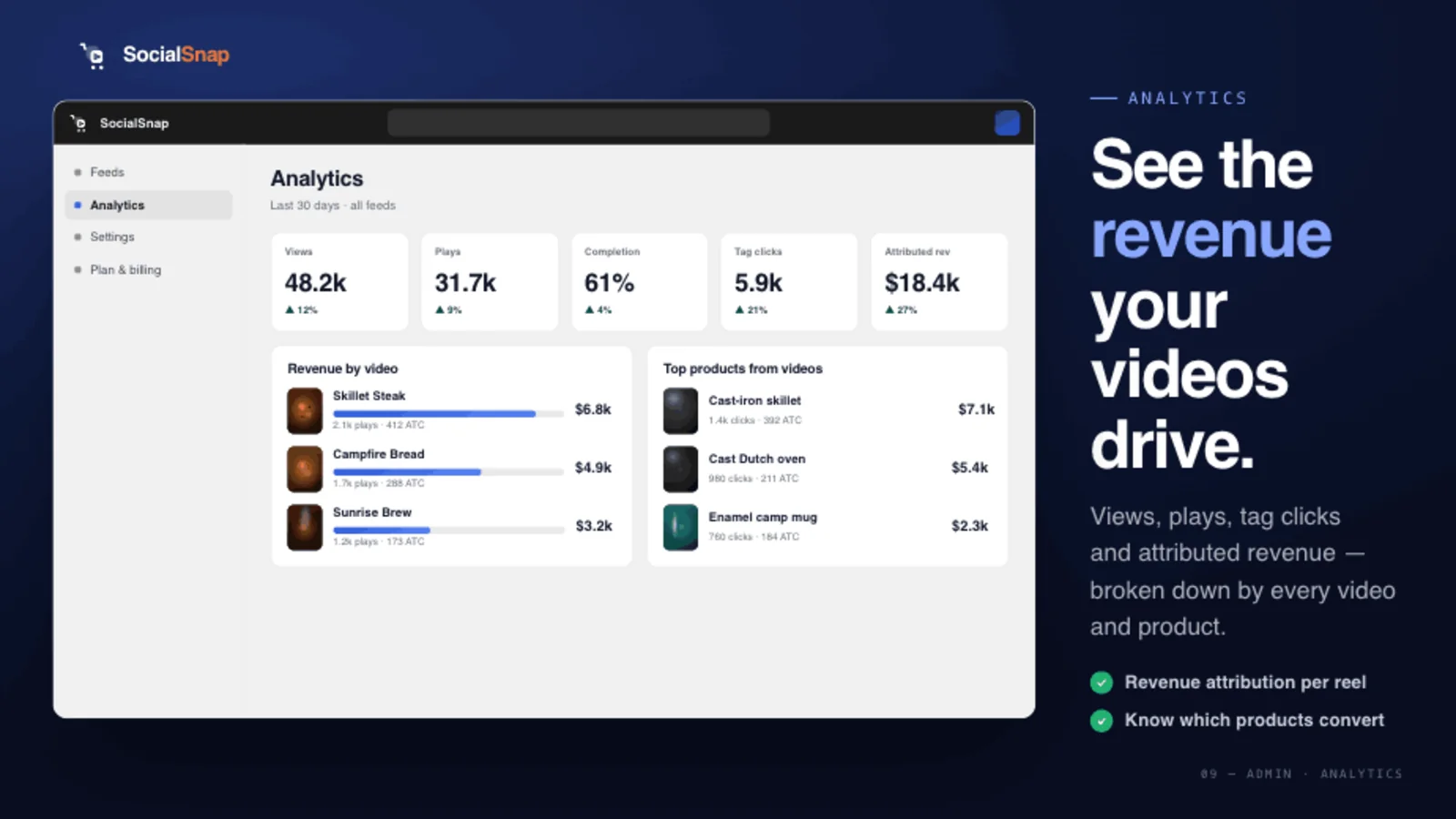
Measure which UGC actually sells
Not all UGC is equal. Track plays, tag clicks, add-to-carts, and revenue per video, then promote the clips that convert and quietly retire the ones that don't. Over time you'll learn which kinds of customer videos drive sales — and you can ask for more of those.
A simple UGC workflow to start this week
- Seed the feed with your own best Reels/TikToks so it's never empty.
- Add a "share your video" ask to your post-purchase email or order-status page, linking to a submission page with a consent step.
- Moderate every submission; approve the strong ones.
- Tag and place approved clips on the matching product pages.
- Review revenue per video monthly and double down on what works.
Where SocialSnap fits
SocialSnap is built to make UGC shoppable: import your own Reels and TikToks (or upload directly), tag products with a variant and an on-screen pin, and publish a native, TikTok-style feed on any page — with order-attributed analytics so you can see which customer videos actually sell. Customer-submission collection is on the roadmap, so the whole loop — collect, get consent, tag, sell — lives in one place.
Frequently asked questions
What is UGC in ecommerce?
User-generated content — videos and photos created by customers or creators rather than the brand. It's trusted because it's authentic, which makes it powerful social proof on product pages.
Can I repost a customer's Instagram video on my store?
Only with their permission. A public post isn't a license to republish commercially — ask explicitly, record the consent, and moderate before publishing.
How do I collect UGC from customers?
The simplest way is a submission page (linked from a post-purchase email or order-status page) where customers upload a video and grant consent. You then moderate and publish the approved clips.
Does UGC really increase conversion?
Yes — authentic customer video is strong social proof for middle-of-funnel shoppers, and shoppable UGC on product pages is associated with meaningful conversion lifts.
How do I make UGC shoppable on Shopify?
Tag the featured product (with variant) inside the video using a shoppable video app, then place the feed on the relevant page so shoppers can add to cart without leaving.
Make your customer videos sell
Tag approved UGC with a product and variant, publish a native TikTok-style feed on any page, and see which customer clips actually drive revenue — all in one app.
Add SocialSnap free →Sources: What Is Shoppable Video — Bambuser · Ultimate Guide to Shoppable Video 2026 — Whatmore · Shoppable Videos for Fashion Brands — Tellos